
Business Card Alternatives: 7 Ways to Introduce Yourself Without a Printed Card
Paper is no longer the only way to introduce yourself. Seven honest alternatives to business cards — what each one is, when it wins, where it stops, and when to keep paper anyway.
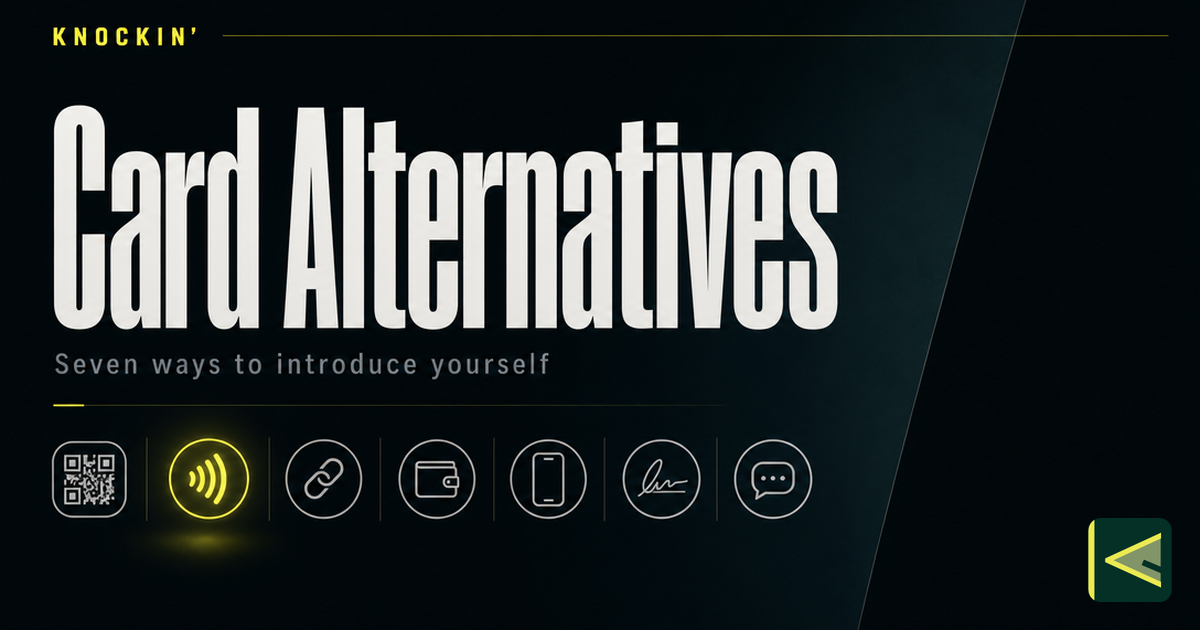
You are reading this because the printed business card has stopped fitting somewhere. Maybe the box of five hundred cards you ordered still carries a title you left in March. Or maybe you simply do not want to carry an object whose only job is to be handed away. Whatever brought you here, you have more real options now than at any point in the card's long history — and most of them are better for specific situations, not better in general.
This is a map of the seven business card alternatives worth your attention — what each one is, how you use it, when it wins, where it stops — so you can pick one, or combine two, with a clear reason. And because honesty ages better than enthusiasm, the last section covers the situations where you should keep the printed card anyway.
Why People Look Beyond Paper
The case against the printed card is partly numbers and partly behavior. The numbers: an estimated 100 billion business cards are printed worldwide every year, consuming around six million trees, and 88% of them are thrown away within a week of being handed over [Source: https://blinq.me/blog/best-alternatives-to-printed-business-cards]. The behavior you have probably watched yourself: you meet someone, exchange cards, and the card sits in a pocket until it migrates to a drawer. The recipient has to type your details in by hand, decide whether you are worth the effort, and then find a reason to reach out later. Most never do.
The shift is underway: recent industry research puts 37% of small businesses and 23% of individuals on digital cards already [Source: https://blinq.me/blog/best-alternatives-to-printed-business-cards].
None of this makes the printed card a bad object. It is tangible, it needs no battery or signal, it carries the weight of ritual in formal settings, and a well-printed card still signals care in a way a URL cannot. The problem was never the card at the handshake. The problem is everything after: the retyping, the staleness, the silence. Every alternative below attacks a different part of that aftermath — which is why there is no single winner among the alternatives to business cards, only the right fit for the part that hurts.
1. A Digital Business Card
A digital business card is a live profile — your name, role, contact details, links, and often a booking calendar — that lives at a URL instead of on cardstock. You build it once and share it as a link, a QR code, an NFC tap, or a wallet pass; every door leads to the same current version. We have written a full explainer on what a digital business card is, but the short version is this: it is a web page that behaves like a card.
Using one is simple. You sign up on a platform, fill in your details, and share the result. When your title changes you edit the profile, and every card you have ever shared updates instantly. The recipient opens it in a browser — no app download — and saves your details with one tap. If you are starting from zero, the walkthrough on how to make a digital business card covers the build, and what to put on a business card covers the content decisions.
This is the default answer for most professionals. If your details change even once a year, if you meet people at any volume, or if you want to know whether the card you shared was ever opened, a digital card wins on every axis where paper loses. Adding it to Apple Wallet makes the introduction durable on the other person's phone, and there are more ways to share a digital card than most people use.
What a digital card does not fix is the conversation. It is still a statement handed over: it tells someone who you are, and then it waits. The follow-up question, the explanation of what you actually do, the reason to act — all of that still has to happen somewhere else, with you present. Hold that thought; it is where the seventh option comes in.
2. A QR-Only Card
A QR-only card is a deliberate shrink of the printed card: a small, cheaply printed card, sticker, or badge that carries almost nothing but your name and a QR code. The code points to wherever your real introduction lives — usually a digital card — making it the lightest bridge between the ritual of handing something over and the live profile behind it.
You print the minimal card yourself or through any print shop, generate the QR code from your card's platform, and hand it over exactly as you would a full card. The recipient scans, lands on your profile, and saves from there. The design decisions — code placement, contrast, what the scan should open — are covered in the guide to QR codes on digital business cards.
A QR-only card is best for transitions and volume. If you are moving off paper but your industry still expects something physical at the handshake, it honors the ritual without the reprint cycle. It also shines where a full card cannot go at all: conference table tents, booth signage, the back of your phone, a shop counter, the closing slide of a talk.
Its limit is that it is a door, not a room. Everything depends on what the scan opens — if the destination is a static page, you have built a shortcut to silence. There is scan friction, too: some people will not scan anything, and a bare code says nothing about you if the destination fails to load. And because the card itself is minimal, you give up the texture a full printed card carries in formal settings.
3. An NFC Business Card
An NFC business card is a physical object — a card, keyfob, or sticker — with an embedded chip. Tap it to someone's phone and your profile opens: no camera, no aiming, no app. It reaches the same destination as the QR code, but by gesture instead of scan.
You buy the chipped card once and keep it; there is no reorder when your details change, because the chip points at a live profile rather than frozen text. For how the chip actually works, and what to look for in one, see what an NFC business card is.
NFC is best in high-tempo, in-person moments: expos, conferences, bars, walk-and-talk networking — anywhere stopping to aim a camera at a code breaks the flow of the conversation. The gesture itself is memorable. People tend to remember the card that behaved like a key.
The limits are real, though. NFC assumes the receiving phone supports it and that its owner is comfortable tapping an unfamiliar object against theirs — routine in some markets, odd in others. The card carries little visual identity of its own; the chip holds the introduction, not the card face. And like the QR-only card, it is only a door: the tap opens the profile, and from there the profile has to do all the work.
4. A Link-in-Bio Page
The link-in-bio page is the creator economy's answer to the business card: one page, stacked with links — portfolio, socials, newsletter, shop, booking — parked behind the single URL a social profile allows.
Using one could not be lighter. You build the page on any link-page tool, put the URL in your bio, and stop thinking about it. When someone wants to know what you do, the page is already there, always current, costing nothing to update.
It is the right weight when your audience already follows you on social platforms and your introduction is a matter of discovery rather than exchange. A photographer or musician handing a stranger their handle is handing them the page; nothing more would get used.
The limit is what the page cannot do: talk. A link page is a directory, not an introduction. It lists where you exist but answers nothing — the visitor still has to choose which link to pull, still has to invent their own questions, and still gets no reply at midnight. It also rents your introduction from a platform whose algorithm, not your judgment, decides who sees you. Whether a card that answers serves that same audience better than a link page does is a comparison worth its own article; for now, notice the pattern. Static pages accumulate links. Conversations accumulate intent.
5. WhatsApp and WeChat Cards, and the Humble vCard
In much of the world, the de facto business card is a messaging-app contact. Adding someone on WeChat at the end of a meeting — or on WhatsApp, or LINE — is the exchange; the profile they land on becomes how they encounter you afterward. For a platform-neutral equivalent there is the vCard: the .vcf contact file every phone on earth can open, which is also the format most digital cards use to save details — the mechanics are explained in how digital business cards work.
Using either is immediate. You exchange IDs or scan the in-app QR, and the contact arrives with whatever profile its owner maintains; some tools treat that payload — the contact without the paper — as precisely what a virtual business card is. To send a vCard, you export or generate the file and attach it to a message or email.
This alternative is strongest where the messaging app is the business infrastructure. Across China, and in much of Southeast Asia and Latin America, the follow-up conversation was going to happen in WeChat or WhatsApp anyway, so the contact is the card. The vCard, in turn, is the right tool when all you need is your details in someone's phone, with no platform standing in between.
The limits run in opposite directions. A messaging contact is a channel, not a boundary: once you are added, every question arrives as a chat expecting a human, usually now — your availability, your working hours, and your personal identity collapse into one presence. The vCard is the opposite: pure contact, no context. It freezes your details at the moment of sending and carries nothing about what you actually do or why anyone should care. One is all conversation; the other is all card. Neither introduces you.
6. An Enhanced Email Signature
The signature is the business card you already send dozens of times a day. The enhanced version turns those two forgotten lines into a working introduction: full name and role, company, a phone number, a booking link, your digital card or its QR code, and one or two links that actually matter.
You set it once in your mail client — most modern clients support HTML signatures — and every email you send carries your card from then on, with no further effort or expense.
It is the best alternative for anyone whose introductions happen over email, which is to say most of B2B. It asks for zero new behavior from you and zero new tools from the recipient; it rides on correspondence you were sending anyway.
The limits are structural. A signature only reaches people you have already emailed — it starts no new conversations, because strangers never see it. And there is a blindness to it: after the first message in a thread, neither party reads the signature again. It is an excellent carrier and a poor opener. Like every option so far, it states who you are, and then it waits.
7. A Conversational AI Business Card
The seventh alternative changes what the card does rather than how it travels. A conversational AI business card is a digital card with an answering layer on top: a presence that knows your background, your work, and your availability, and responds to visitor questions in your voice when you are not there. Instead of landing on a page that waits, the person who finds you lands on something that answers.
You build it the way you would build any digital card — details, links, calendar — and then feed it your knowledge: your bio, your answers to the questions you keep getting, the boundaries of what it may decide. From there it works like a good concierge. It fields the routine questions, books meetings off your real calendar, collects the visitor's name and intent, and stops where your judgment begins — partnership offers, pricing decisions, hiring conversations become tasks handed to you with full context, never answers improvised on your behalf. The category gets a full treatment in what is an AI business card.
This is the alternative for anyone whose introduction repeats. Founders explaining the business for the hundredth time; freelancers clarifying process and availability before the first call; sales and BD people whose prospects read the card at midnight while they are on another demo; creators whose audience would rather explore the work than scroll a link list. Because it is shared the same ways as everything above — link, QR, Wallet, NFC, even a widget — it layers onto the other options instead of replacing them. Knockin is the card we built for exactly this; you can read what Knockin is or start one for free — no credit card, set up in minutes.
The trade-offs are honest ones. It takes real setup: you have to feed it your knowledge and test what it would say before you trust it with your name. It raises questions worth asking — what the platform does with your data, and where the line sits between representing you and impersonating you; a well-built one shows you everything it would say and hands judgment back to you. And it does not replace the formal handshake ritual. What it replaces is the silence after it.
How to Choose Among Business Card Alternatives
| If this is your situation | The strongest alternative |
|---|---|
| Your details change, or you share at volume | Digital business card |
| Your industry expects something physical, but you hate reprints | QR-only card |
| High-tempo in-person networking | NFC card |
| Your audience already follows you on social | Link-in-bio page |
| Your market runs on WeChat or WhatsApp | Messaging contact, plus a vCard |
| Your introductions happen over email | Enhanced signature |
| You answer the same questions every week | Conversational AI card |
The pattern here is combination. Most people who leave paper end up using two or three of these at once — a digital card as the destination, a QR or NFC carrier for in-person moments, a signature that points at the whole thing. The decision that matters most is the destination: whatever you hand over, tap, print, or sign with should lead somewhere alive. A code that opens a dead page is just a smaller piece of paper.
When You Should Keep the Printed Card
Not every card should be replaced, and an article that told you otherwise would be selling something. There are settings where the printed card is not a habit to break but a convention that carries meaning: formal exchanges in legal and financial work, luxury and hospitality contexts where cardstock is part of the aesthetic, and cultures — Japan's is the best-known — where the exchange ritual, two hands and a moment of attention and a considered placement on the table, is respect made visible. A phone tapped anywhere near that ritual reads as carelessness, not modernity.
The practical move in those settings is the hybrid: a properly printed card with a small QR code in the corner. You honor the ritual, and whoever wants your details in their phone has a door to them. The printed card's etiquette value is real. What you are allowed to retire is only its job as a data-storage device.
Conclusion
Seven business card alternatives, one map. Digital cards fix the lifecycle — always current, one-tap save, visible when opened. QR-only cards and NFC cards carry the exchange into the physical world without the reprint cycle. Link-in-bio pages meet audiences where they already scroll; messaging contacts and vCards do the same where WeChat and WhatsApp are the infrastructure; the enhanced signature rides the email you were sending anyway. And the conversational AI card, the newest of the seven, fixes what none of the others touch: the silence after the introduction, by answering questions and booking time when you cannot.
None of them is universally right, and the printed card keeps real territory of its own. But if your introductions repeat, if your details move, or if your cards keep dying in drawers, the direction is clear: make the destination live, and make it answer. You can try that last part yourself — build a Knockin card, free to start and without a credit card — and keep a small stack of paper for the rooms that still ask for it.
Related Posts
AI Business Card: The Complete Guide (2026)
An AI business card answers questions and captures intent from your own knowledge. This guide covers how the AI layer works, who it fits,…
What Is a Digital Business Card: The Card That Answers Back
A live profile shared by link, QR, or NFC — and AI now turns static cards into ones that answer and hand off judgment calls. Here's how the…
Business Card QR Codes: How They Work, Design Rules, and Sizing
The complete reference for QR codes on business cards: how they work, static vs dynamic, how to generate one that lasts, and the exact…
Frequently Asked Questions
What is the best alternative to printed business cards?
Do business card alternatives cost money?
Is it rude to stop carrying printed business cards?
Can I use several of these alternatives at the same time?
Your bio can finally answer back
Turn what you already know into an intelligent bio card that answers when you're not there.
Build, refine, and share in minutes — no credit card required.
https://knockin.info/blog/business-card-alternatives