
How Do Digital Business Cards Work? What Actually Happens When Someone Scans
A digital business card is one URL opening a hosted page, and every QR, tap, or link just delivers it. Here is the full mechanism, from scan to save.
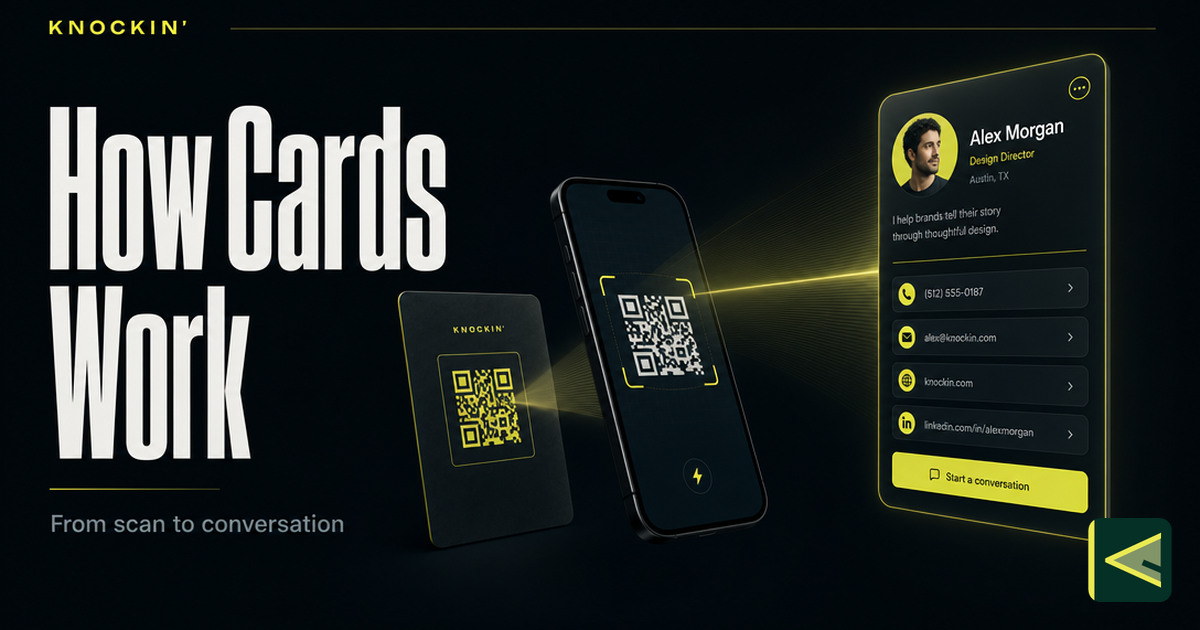
The entire mechanism fits in one sentence: a digital business card is a short web address that opens a hosted profile page, and every way of sharing it — QR code, NFC tap, plain link — is just a different way of putting that address in front of someone.
When a person scans the square on your card or taps its corner to their phone, no app installs, nothing downloads on its own, and no account gets created. Their browser opens a page. That page is the card. Everything people associate with the format — save-to-contacts, details that update after the handoff, a different door for every situation — follows from that single design decision.
This guide walks the mechanism end to end: what happens in the second after a scan, the three entry channels and how they differ, the vCard standard behind the Save button, why one edit reaches every card in circulation, the conversational layer now sitting on top, and what the other person actually sees. If you are completely new to the format, the companion overview of what a digital business card is is the gentler starting point. This one is the machine room.
The One Idea: A Delivery Object and a Hosted Page
A paper card has to be its own container. The ink is the information; the object and the message are the same physical thing, which is why the message dies with the object — in a drawer, in a jacket pocket, in the wash. Earlier attempts at electronic exchange ran into a cousin of the same problem: beaming details between two identical devices demanded that both people carry the same hardware, so the card only traveled inside one ecosystem at a time.
A digital business card splits the object from the message. One half is a delivery object: a printed QR pattern, an NFC chip, or a bare link. Its only job is to hand a phone one URL. The other half is a hosted profile page: created once in a card builder, stored on the provider's servers, editable at any moment. The delivery object never changes; the page changes whenever you want it to. Nearly every property people love about digital cards — details that stay current, scan counts, zero setup for the recipient — exists because of that split, not because any single channel is clever.
A note on names, since the search box hears them all: digital, virtual, and electronic business cards are near-synonyms, and "how do electronic business cards work" has exactly the same answer as the question in this title. The small distinctions between the terms are untangled in what is a virtual business card; none of them change the mechanism below.
What Actually Happens When Someone Scans
Run the film frame by frame, because the ordinariness of it is the point.
- The camera reads the pattern. The phone's native camera — no app, on current iOS and Android — recognizes the QR code and decodes it into a URL.
- The browser requests the page. The phone opens that URL in its normal browser, and the provider's server serves your profile as it exists right now — not a cached copy from when you printed the code.
- The page renders your identity. Name, role, company, photo, links, and whatever actions you have enabled appear as an ordinary web page the visitor can read, scroll, and tap.
- The visitor saves — or doesn't. A Save to contacts button offers a one-tap download of a vCard file, which the phone's contacts app imports. Or the visitor skips saving and simply uses the page: taps a link, sends an email, books a time, and moves on.
- The page stays put. Unlike a paper card, the profile remains at the same address. The visitor can return next week and find it updated.
Notice what never happens in those five steps: no app store, no sign-up screen, no "download our app to view this card." The recipient's browser — software every phone already carries — does all of the work. That requirement, works with nothing installed on the other side, is why the entire category converged on a web page as the unit of sharing. It is the lowest common denominator every phone shares, and the only one.
A tap starts the same film with a different first frame. Instead of decoding a printed pattern, the phone reads a small data record off the NFC chip inside the card. NFC operates at 13.56 MHz over a range of about four centimeters; the chips are passive, powered by the phone's own field rather than a battery, and hold anywhere from tens of bytes to a few kilobytes — comfortably enough for one URL. [Source: https://en.wikipedia.org/wiki/Near-field_communication] From that URL onward, every step is identical: browser opens, page loads, contact saves. QR needs line of sight and decent light; NFC needs proximity and a screen that is already on. Both roads end in the same browser tab.
Three Doors to the Same Room
Every digital card reaches people through one of three channels. They differ in physics, not in destination — all three deliver the same URL to the same page, and most people end up enabling all three at once.
QR code. A printed or on-screen pattern that any modern phone camera decodes natively, no app required. It is the only channel that works from paper, which makes it the bridge between the printed world and the hosted one: conference badges, flyers, shop counters, and the back of an actual card. The pattern itself carries real engineering decisions — static versus dynamic codes, sizing, quiet zones, contrast — and those get their proper treatment in the guide to QR business cards.
NFC tap. A chip the size of a grain of rice, embedded in a card, badge, or key fob. Hold it near a phone and the phone reads the URL straight out of the chip's memory — no camera, no light, which makes it the friendlier channel in a dim conference hall and the one that feels closest to handing someone a physical card. The physics, chip types, and the phone-compatibility question have their own deep dive in what is an NFC business card.
Plain link. The URL with nothing wrapped around it. It goes where codes and chips cannot: your email signature, a LinkedIn message, a late-night reply thread, the footer of a slide deck. The link is also the fallback channel underneath the other two — a QR code and an NFC chip both ultimately just spell out a link, so every card built on them carries one implicitly. Choosing the right door for a given moment is its own small skill, covered in how to share a digital business card.
The vCard Standard: Why "Save" Works on Every Phone
The most unremarkable button on the page — Save to contacts — is the part with the deepest roots. When a visitor taps it, the page hands their phone a small file in the vCard format, also called a Virtual Contact File: the standard format for electronic business cards, carried by files ending in .vcf. vCard was developed by the Versit consortium in the mid-1990s, transferred to the Internet Mail Consortium in 1996, and stewarded by CalConnect since 2004; the current version, 4.0, is defined in RFC 6350, published in August 2011. [Source: https://en.wikipedia.org/wiki/VCard] The file format behind your card's Save button is older than Google, and it has been an open standard the entire time.
A vCard is plain text — open one in any editor and you can read it — built from a fixed vocabulary of properties covering the fields a contact needs:
BEGIN:VCARD
VERSION:4.0
FN:Maya Chen
TITLE:Founder
TEL:+1-555-0100
EMAIL:[email protected]
URL:https://example.com/maya
END:VCARD
Every contacts app in existence — iOS, Android, Outlook, Google Contacts, Thunderbird — has imported this format for decades. That pre-existing compatibility is the quiet reason digital cards work at all: no card provider has to negotiate with Apple or Google for a save button, because the interchange standard was already sitting there. One .vcf download serves every visitor regardless of the phone in their hand, and the same standard is what lets a contact arrive by email attachment, QR code, or NFC tap. The category did not have to invent contact exchange; it inherited it.
One Edit, Everywhere: The Live Profile
Because the content lives on the hosted page rather than inside the delivery object, editing works asymmetrically in your favor. Change your title, number, portfolio link, or entire employer on a Tuesday night, and by Wednesday morning every QR you ever printed, every chip you ever handed out, and every link sitting in an email signature opens the new version. The objects in circulation are stable pointers; the thing they point at moves whenever you tell it to. The paper equivalent of that sentence would involve collecting five hundred cards from five hundred pockets — which is to say, it has no paper equivalent. It is also the reason a dynamic QR code is worth choosing over a static one even when both spell out the same page today.
One honest nuance belongs here, because a mechanism guide should be honest: the live page and the saved contact are different artifacts. The page updates forever. The vCard someone saved last spring is a copy from last spring — it sits in their contacts like any contact would, and it does not silently rewrite itself. That is not a defect in the format; it is how contacts behave everywhere. The practical consequence is simple: your page is the source of truth people return to, and the save is a convenience for them, not a subscription that keeps itself current.
The Conversational Layer: When the Page Answers Back
Everything above describes the static digital card, and until recently that was the whole story. The current step adds a conversation layer: the hosted page does not just state your details — it answers questions about them, drawing on a knowledge base you have filled with your work history, your services, your boundaries, and the answers you give most often. Knockin builds its entire card around this: a personal AI introduction where each visitor is greeted by an AI concierge that answers from your knowledge and can book a meeting through Google Calendar without the back-and-forth — "your bio can finally answer back" is the product's own tagline. [Source: https://knockin.info/] Mechanically, nothing changes — one URL, one hosted page, nothing to install — the page has simply found its voice. How that layer works, who it fits, and where its honest limits sit is a guide of its own: AI business cards explained. The product story, if you want the narrative version, is in Introducing Knockin.
Privacy and Data: What They See, and What You Can Take Back
Start on the visitor's side, because it is simpler than people fear. When someone scans or taps, they see your page — exactly what you chose to publish, nothing more. They did not create an account, install an app, or identify themselves; a scan is much closer to visiting a website than to swapping phone numbers. On your side, card providers typically report the basics of traffic — that a scan happened, roughly when, and sometimes a running count — enough to know a card is pulling its weight, without the visitor surrendering anything about themselves to get your details.
Then the harder question: can you take a card back? In layers, with different reach. The page itself is fully yours — edit any detail instantly, or unpublish the whole profile, and the next person through any door sees the change. In many builders the underlying link can be retired or rotated, so old references stop resolving. What you cannot reach: the contact someone already saved is theirs now, exactly as if they had typed it in by hand — it will not update, and it will not vanish. A printed QR code cannot be unprinted, though a dynamic code's destination can be re-pointed; an NFC chip is typically read-only, so it goes on spelling the same URL — but the page that URL opens stays under your control, which is the layer that matters.
Which yields the working rule: publish what belongs on a public professional profile. Anything you would be comfortable displaying on a website with your name on it belongs on the card; anything you would say only across a table stays off it. Frame the decision that way and most of the privacy question answers itself before you build anything.
Conclusion
The mechanism, end to end: one URL, delivered by a QR pattern, an NFC chip, or a plain link; one hosted profile page that opens in the visitor's browser with nothing installed; one vCard file, standardized decades before any of this existed, that makes Save work on every phone ever made; one edit that reaches every card in circulation by morning; and, on the newest cards, a conversation layer that keeps answering after you have pocketed the card and walked away. None of it is exotic — and that is the strength of the design. It asks less technology of the moment than it appears to and returns more leverage than a drawer of paper ever did. If you would rather feel the mechanism than read about it, you can build a card of your own at Knockin — start for free, no credit card required, set up in minutes. [Source: https://knockin.info/]
Related Posts
What Is a Digital Business Card: The Card That Answers Back
A live profile shared by link, QR, or NFC — and AI now turns static cards into ones that answer and hand off judgment calls. Here's how the…
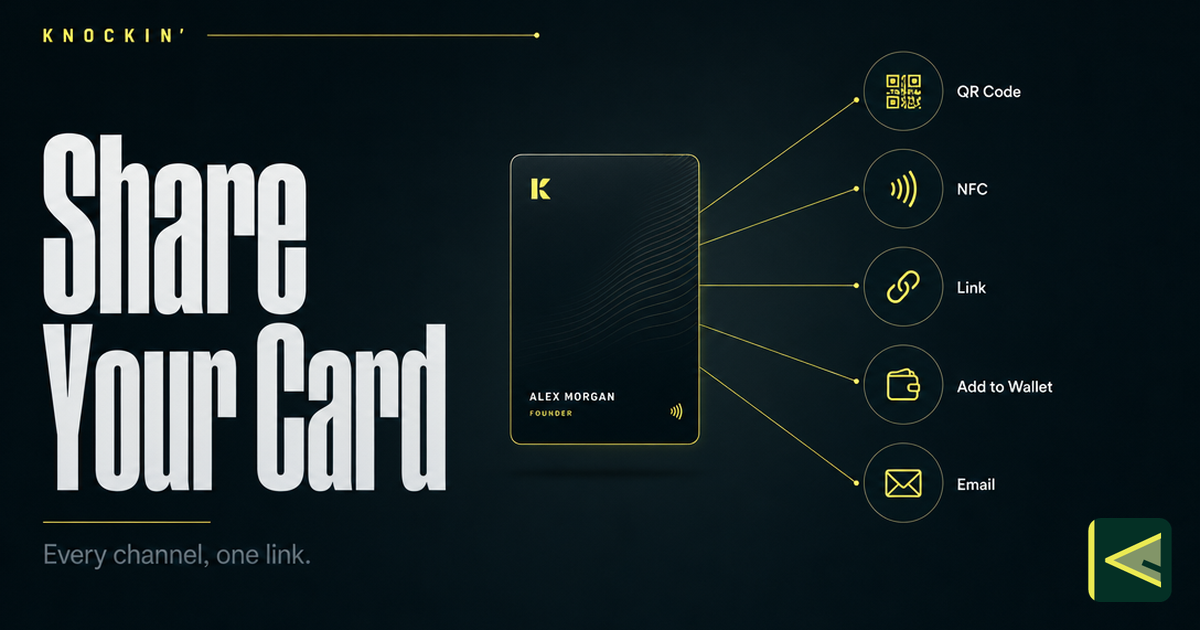
How to Share a Digital Business Card: Every Way to Connect
Seven ways to share a digital business card — QR code, NFC tap, plain link, phone wallet, email signature, website widget, and social bio —…
AI Business Card: The Complete Guide (2026)
An AI business card answers questions and captures intent from your own knowledge. This guide covers how the AI layer works, who it fits,…
Frequently Asked Questions
Do digital business cards require an app?
What actually happens when someone scans my digital business card?
How does a digital business card save to my phone's contacts?
If I update my card, does the contact someone already saved get updated too?
Your bio can finally answer back
Turn what you already know into an intelligent bio card that answers when you're not there.
Build, refine, and share in minutes — no credit card required.
https://knockin.info/blog/how-do-digital-business-cards-work