
What Is a Virtual Business Card? (And How It Differs From Digital, Electronic, and Name Cards)
A virtual business card is a live online profile shared by link, QR, or NFC tap instead of paper. Here's what it is, what goes on it, and which word to use.
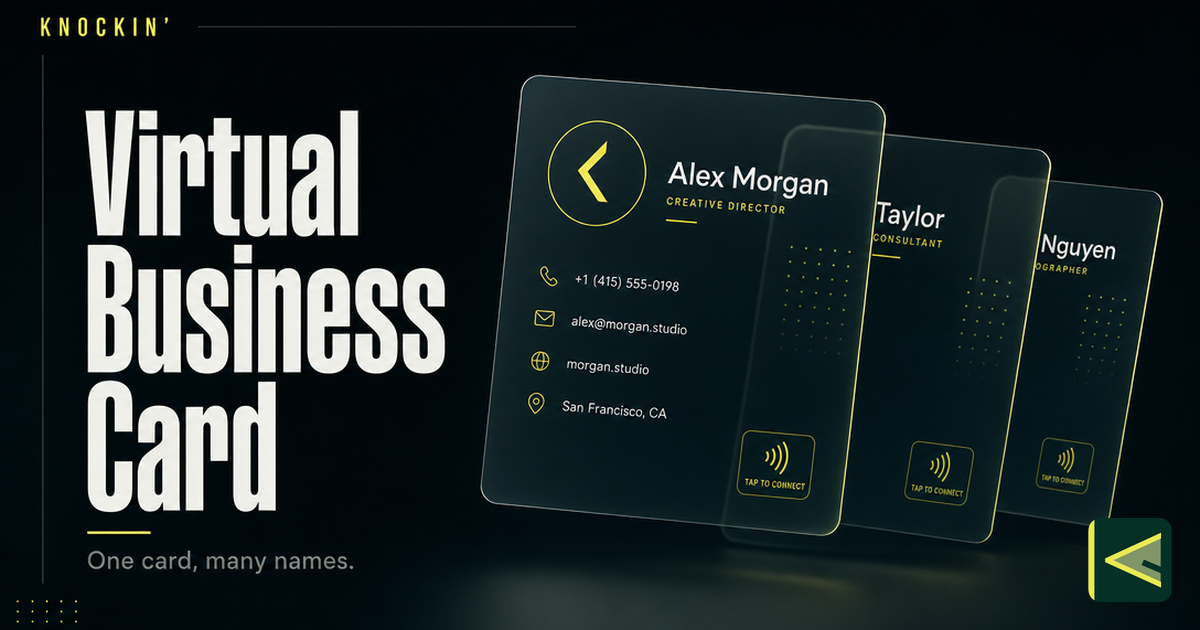
A virtual business card is a live profile that lives online instead of in your wallet: your name, role, company, and contact details on a page you share by link, QR code, NFC tap, or wallet pass instead of handing over a piece of cardstock. The person on the other end opens it in their browser, saves your details with one tap, and — because the profile is live — sees your current information even months after they first saved you. Nothing gets printed, nothing goes out of date in a drawer.
The word "virtual" confuses people far more than the object does. Search for a definition and you will find "virtual business card," "digital business card," "electronic business card," "e-business card," "name card," and "visiting card" all pointing at more or less the same thing. The differences between these words are regional and historical, not technical. There is no feature you get with one label that you don't get with another, and no vendor will blink at any of them.
So this article does two jobs. It gives you the working definition of a virtual business card — what one is, what goes on it, how it works, how it's shared — and then it walks the whole naming family one term at a time, including where in the world each word is actually used. By the end you'll have a quick-reference table that answers the only question left: which word should you use?
What a Virtual Business Card Is
A virtual business card is the paper business card's online counterpart: a mobile-friendly web profile that holds your name, job title, company, phone, email, and links, and that you share electronically instead of in print. That definition is deliberately boring, because the thing itself is not complicated — the vocabulary around it is.
Don't take just our word for the equivalence. Wikipedia's article on the subject is titled "digital business card" and opens with the sentence "A digital business card is an electronic version of the traditional paper business card" — one sentence, three different names, one referent. [Source: https://en.wikipedia.org/wiki/Digital_business_card] The major platforms do the same. Blinq, one of the largest card providers, sells the product under "digital business card," lets you "share it in seconds: QR, tap, link or wallet," and uses "virtual" only as a passing synonym. [Source: https://blinq.me/] Whether a page calls the thing virtual, digital, or electronic, what's behind it is the same: a hosted profile, always current, reachable through several doors.
The "virtual" in the name refers to the one thing all versions share — the card exists as an online object rather than a physical one. That single property is what opens up everything people like about these cards: you edit once and every shared copy updates; the recipient saves your details with a tap instead of typing them; and the card can carry things paper never could, like a booking calendar or a portfolio. If you want the deeper treatment of the category — the card-versus-door distinction, why paper's lifecycle was the real bottleneck, and where the whole thing is heading — we've written that under the digital label in our guide to what a digital business card is. Think of this piece as its companion: the field guide to the names.
One Card, Six Names
Four of the six terms are names for the online card; two are regional words for business cards in general, now applied to the online versions too. You can watch the family mixing in real time: search in the wrong country and you'll find people saying "virtual name card" in Singapore, "digital visiting card" in India, "e-name card" in older enterprise blogs — compounds the speakers themselves treat as perfectly ordinary. Here are the six, one at a time.
Virtual business card. "Virtual" simply means the card exists online rather than as a physical object. It's a globally understood search term — often the one people reach for when they're new to the category and reaching for any word at all — but almost no platform brands itself with it. Vendors prefer "digital"; searchers split between the two. If you say "virtual business card" in a sentence, everyone from São Paulo to Singapore will know what you mean.
Digital business card. The industry's default term. Product pages, app store listings, and vendor blogs overwhelmingly say "digital," likely because "digital" describes the medium plainly while "virtual" carries a whiff of the 1990s. When in doubt in global professional writing, this is the safest word — and again, the full definition lives in our digital business card guide if you want the deep dive.
Electronic business card (and e-business card). The oldest flavor of the name, and the one with the most concrete history. The electronic exchange of contact details goes back to the vCard file format, created in 1996 by an industry consortium that included Apple, AT&T, and IBM — the same format phones still use today when you share a contact. [Source: https://en.wikipedia.org/wiki/Digital_business_card] A decade later, Microsoft gave the phrase its most literal monument: Outlook's "Electronic Business Cards," a formatted contact card you could attach to an email or embed in your signature. [Source: https://support.microsoft.com/en-us/outlook/create-and-share-contacts-as-electronic-business-cards] "E-business card" is just the compressed form of the same idea. Today "electronic" skews older and more enterprise — you'll hear it from people whose first encounter with the concept was Outlook, and in markets where English business vocabulary settled earlier.
Name card. This one isn't about the online card at all — it's regional English for business cards generally. In Singapore, Malaysia, and Hong Kong, and in Japan's English conversations around meishi, the everyday word is "name card," and Wikipedia's business card article notes the cards are "known as name cards in Singapore." [Source: https://en.wikipedia.org/wiki/Business_card] Naturally, the online versions inherit the local word: a "virtual name card" in Kuala Lumpur is a virtual business card everywhere else.
Visiting card. The word with two lives. Historically, the visiting card was a genuine ancestor: a card left at a door in 17th-century France and Italy to announce a caller, which by the 19th century had become, in Wikipedia's words, "an essential ornament of any upper- or middle-class lady or gentleman" in Europe and America. [Source: https://en.wikipedia.org/wiki/Visiting_card] Regionally, "visiting card" survives as the everyday term for a business card across South Asia — India, Pakistan, Bangladesh — where Wikipedia notes business cards are "usually called visiting cards." [Source: https://en.wikipedia.org/wiki/Business_card] So when someone in Mumbai asks for your visiting card, they're asking for exactly what someone in New York calls a business card, and exactly what this whole category moved online.
What Goes on a Virtual Business Card
Everything a good paper card carries, plus the things paper can't. The baseline: your name, job title, company, phone number, and email. The standard additions: a link to your website, your key social profiles, a photo or company logo. Then the web-native layer a printed card never had — a save-to-contacts button so the recipient stores you with one tap, links to portfolios or case studies, embedded media, and sometimes a booking calendar so the person holding your card can schedule a meeting on the spot.
The right contents depend on what you actually use the card for, and getting that right is its own piece of work: a founder's card, a freelancer's card, and a sales rep's card should each lead with something different. We've written a full walkthrough of what to put on a business card, so here the short version will do: lead with what you want the recipient to do next, and make sure the basics are flawless before you add anything clever.
A useful discipline is to imagine the card being read by someone tired, in a hurry, at a conference. They will give you about five seconds. In those five seconds they need to absorb who you are, what you help people with, and what the single next step is — save the contact, open the portfolio, book the slot. Everything on the card either serves those five seconds or competes with them. The medium makes it easy to add more; the discipline is remembering that the reader's attention hasn't gotten any bigger just because the page has.
How One Works, and How You Share It
The mechanics are simpler than the vocabulary. You create a profile once, on a platform that hosts it at a URL; the platform then generates the sharing surfaces — a QR code, an NFC trigger, a wallet pass — that all point back to that same live page. Edit the profile and every surface serves the new version. That's the entire machine, and if you want it taken apart bolt by bolt — what actually happens on a scan, what NFC tags are doing, how wallet passes stay on a phone — we've covered how digital business cards work in detail, with NFC, QR codes, and Apple Wallet each getting their own closer look.
Sharing is a matter of picking the right door for the moment. A link belongs anywhere a conversation is already digital — email signatures, social bios, DMs. A QR code is the link made physical: on printed materials, on your phone screen at a conference, on a booth. An NFC tap is the QR code without the scanning motion, for in-person moments when both phones cooperate. A wallet pass is what makes the introduction durable on the recipient's side. The full playbook, including which doors to combine, is in how to share a digital business card.
Which Word Should You Use?
For the object itself, any of the first four terms is correct — so choose by audience, not by feature. Here is the whole decision on one table:
| Term | Where you'll hear it | What people mean | Use it when |
|---|---|---|---|
| Virtual business card | Everywhere; especially in search | The online card — emphasis on "no physical object" | Writing for a general or global audience; matching how people search |
| Digital business card | Global; the industry default | The online card | Product and professional writing — the safest default word |
| Electronic / e-business card | Older enterprise contexts; Outlook-era habits | The online card | Talking to audiences whose reference point is email signatures of the 2000s |
| Name card | Singapore, Malaysia, Hong Kong; Japan (meishi) | A business card, paper or online | Writing for those markets |
| Visiting card | South Asia (India, Pakistan, Bangladesh); historic Europe | A business card, paper or online | Writing for South Asian readers |
Three practical notes. If you're writing for a global audience, make "digital business card" your primary term and let "virtual" appear once as the acknowledged synonym — that's roughly what the industry itself does. If your audience is regional, use the regional word: "name card" in Southeast Asia, "visiting card" in South Asia; the local word lands warmer and searches just as well there. And if you're writing for the web, remember that people genuinely search all the variants — including one synonym in your opening paragraph helps readers and search engines alike, while cramming all five into every sentence helps neither. No matter which word you choose, nobody at the other end of the conversation will be confused.
Spoken language is even more forgiving than written. In conversation, almost nobody says any of the six names at all — they say "here's my card" and hold up a QR code, or "let me send you my card" and drop a link. The names matter where names always matter: in search boxes, in product pages, and in articles like this one that have to pick a label and defend it. If you remember that the spoken exchange is a gesture and the written label is a choice, you'll never agonize over the vocabulary again.
Static Cards and Cards That Answer
One last distinction matters far more than any of the naming: whether the card only displays, or whether it can also respond. Most virtual cards today are static profiles — they show your details and wait. A newer rung of the category adds a conversational AI layer that answers visitors' questions from material you've provided, collects their intent, and hands anything requiring your judgment back to you; what an AI business card is deserves its own explanation, but the short version is: a card you can ask, not just read.
That second rung is the shape Knockin takes. We built it as a personal AI introduction — a card that greets visitors, answers in your voice from your own knowledge, and connects to your calendar so an interested person can leave their details and intent while their interest is fresh; the meeting lands once you confirm it. The walkthrough is in our introduction to Knockin, and you can start for free — no credit card, set up in minutes.
Conclusion
A virtual business card is a live online profile that replaces the printed one: same information, shared by link, QR, NFC, or wallet pass, always current, saved with a tap. The six names — virtual, digital, electronic, e-business, name, visiting — are one family tree, split by region and habit rather than by features. "Digital" is the global default; "name card" and "visiting card" are the warm local words in Asia; "electronic" is the family's older branch.
Whatever you call it, the interesting change was never the noun — it's that the card became a page. And the change after that is already underway: pages that don't just describe you, but answer for you when someone knocks. If you'd like to feel the difference, your bio can finally answer back.
Related Posts
What Is a Digital Business Card: The Card That Answers Back
A live profile shared by link, QR, or NFC — and AI now turns static cards into ones that answer and hand off judgment calls. Here's how the…
How Do Digital Business Cards Work? What Actually Happens When Someone Scans
A digital business card is one URL opening a hosted page, and every QR, tap, or link just delivers it. Here is the full mechanism, from…
AI Business Card: The Complete Guide (2026)
An AI business card answers questions and captures intent from your own knowledge. This guide covers how the AI layer works, who it fits,…
Frequently Asked Questions
Is a virtual business card the same as a digital business card?
What's the difference between a business card, a name card, and a visiting card?
What is an electronic business card?
How do I share a virtual business card?
Your bio can finally answer back
Turn what you already know into an intelligent bio card that answers when you're not there.
Build, refine, and share in minutes — no credit card required.
https://knockin.info/blog/what-is-a-virtual-business-card