
AI Business Card vs Digital Business Card: The Real Difference
Every AI business card is a digital business card, but not the other way around. Here is the distinction that actually matters — which direction the AI points — and a decision framework for choosing between a static card and one that answers.
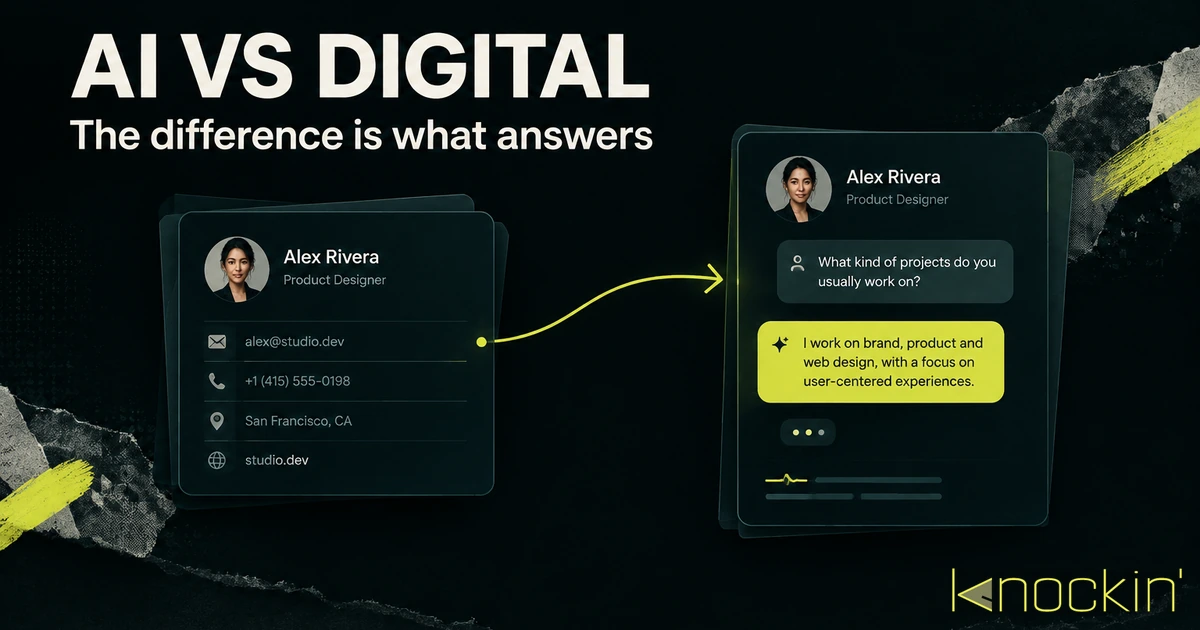
The two terms get used interchangeably, and it is easy to see why: both live at a URL, both replace the paper card in your pocket, and every AI business card you will ever see is, technically, a digital business card. But the reverse is not true, and the difference is not a marketing prefix. A digital business card is a page that tells people who you are. An AI business card is a page that tells people who you are — and then keeps talking. This article separates the two cleanly, shows you the one distinction that predicts whether a product deserves the "AI" label, and gives you a framework for deciding which kind you actually need.
Start With the Shared Foundation
Both cards are built on the same chassis, so it is worth naming what that chassis is before splitting them.
A digital business card is a live profile — name, role, contact details, links — hosted at a URL instead of printed on cardstock. You share it as a link, a QR code, an NFC tap, or a wallet pass; the other person opens it in a browser and saves your details without installing anything. Because the profile lives online, updating your title or number updates every copy you have ever shared. If you want the full anatomy, we cover it in what a digital business card is and how digital business cards work.
An AI business card is that same live profile with a layer on top that acts. When a visitor lands, the layer does not just display — it responds: answering questions about you in your own voice, pointing people to the right link, collecting meeting requests, remembering who came by. The concept and its landscape are laid out in our complete guide to AI business cards; this article's job is narrower and more practical — deciding between the two.
The Distinction That Matters: Which Way the AI Points
Here is the part most comparisons miss. Almost every major digital card platform now advertises "AI" features, so the label alone tells you nothing. What tells you something is the direction the AI faces.
AI pointed at you. Blinq's AI notetaker records and summarizes your meetings, and its enrichment engine fills in missing details about contacts you scan. [Source: https://blinq.me/blog/blinq-raises-us-25m-series-a-to-reimagine-the-start-of-every-professional-relationship] Popl built an entire AI data engine to enrich the leads its users capture at events. [Source: https://popl.co/pages/digital-business-card] HiHello layers AI into contact management for teams. These are real, useful features — but they serve the card owner. The visitor who opens the card sees the same static profile they would have seen in 2022. The AI never speaks to them.
AI pointed at your visitors. A smaller group of products puts the AI on the other side of the door. When someone opens the card, an assistant greets them, answers questions drawn from your materials, and can take the next step — scheduling, follow-up, capture — without you being present. This is the class the term "AI business card" most honestly describes: the card itself has become a representative, not a reference.
Both directions are legitimate. They are just solving different problems, and knowing which one you are buying prevents most of the disappointment we hear about when people say an "AI card didn't do anything." It did — for you, on the capture side, silently. If what you wanted was a card that engages the people who arrive, you were shopping in the wrong aisle.
What a Static Digital Card Does Well
None of this is a knock on the static card. For most of what people use business cards for, static is exactly right.
A static digital card is cheap or free, takes minutes to set up, and does the three jobs a card has always had: identify you, carry your contact details, and hand them over cleanly. The best ones make saving your information a single tap, keep every shared copy current, and never ask the recipient to register for anything. The exchange itself — scan, tap, or click — is a solved problem, covered in depth in how to share a digital business card.
What it does not do is anything after the exchange. The visitor lands, sees your details and your links, and then the page waits. If they wonder whether you take on advisory work, whether your pricing fits their budget, or which of your three links is the one for them — the page has nothing to say. The follow-up burden stays exactly where it has always been: on the two humans, over email, days later, if it happens at all.
What the Answering Layer Changes
The answering layer exists for that silence. Concretely, it changes three things about what happens after someone arrives.
First contact stops requiring you. A visitor with a question gets an answer immediately, sourced from material you control — your bio, your work, your FAQ — phrased the way you would phrase it. The card handles the questions that would otherwise die in an inbox: what do you actually do, who do you work with, where can I see your work.
The page can qualify and route. Because the layer understands what the visitor is asking, it can guide them somewhere specific — a calendar slot, a portfolio piece, a contact form — instead of presenting eleven links and hoping. A directory requires the visitor to diagnose themselves; an assistant can do the triage.
Visits leave a trace you can use. A static card tells you someone opened it. A card that converses tells you what they asked, what they cared about, and whether they left with what they came for. That is the difference between a hit counter and a front desk.
The trade-offs are real too, and pretending otherwise would make this just another sales page. An answering card needs material to answer from — feed it a bare name and title and it will have little to say. It needs occasional maintenance as your facts change, same as any profile. And it is a younger category with younger products, which we size up honestly in the current AI business card landscape.
Side by Side
| Dimension | Digital business card | AI business card |
|---|---|---|
| What the visitor sees | A profile: details, links, photo | The same profile, plus an assistant that responds |
| After the visitor arrives | The page waits | Questions answered, next steps offered |
| Follow-up burden | On both humans, later | Partly handled at first contact |
| Setup effort | Minutes | Minutes, plus gathering material for it to answer from |
| Running effort | Update when facts change | Same, plus occasional review of what it says |
| Cost profile | Free tiers everywhere | Free tiers exist; conversational features typically paid |
| Best at | Clean, instant handoff of who you are | Being reachable and useful when you are not there |
How to Choose Without Overthinking It
The framework comes down to one question: what happens after people find you?
If the honest answer is "nothing needs to happen — they either save my details or they don't," a static digital card is the right tool and the cheaper one. Consultants whose pipeline comes entirely from referrals, employees whose card is a contact sheet, anyone whose next step is always a human conversation they prefer to have in person — a static card does that job completely.
If the answer is "there are usually questions first" — about fit, scope, availability, pricing — or "I meet more people than I can follow up with," the answering layer earns its keep. That profile fits founders pitching at events, freelancers and creators whose page is often the first and only touchpoint, salespeople whose card needs to work between the handshake and the callback, and anyone whose calendar is the bottleneck. The card stops being where scheduling intent goes to stall and becomes where it gets used.
One more pattern worth naming, because it is the most common real trajectory: start static, add the layer when the silence starts costing you. The two are not rival religions — every AI card contains a static card, and you can begin with the profile and switch the answering on when the follow-up volume justifies it. If you already know your visitors arrive with questions, you can skip a step; the walkthrough for building the answering kind is in how to create an AI business card.
Where Knockin Sits
Knockin is a card built for the second scenario. You assemble your profile once, feed it the material you want it to speak from, and from then on the card greets whoever arrives — answering in your tone, sharing the right context, and handling meeting requests: a slot reaches your calendar once you confirm it. It shares through a link, QR code, wallet pass, or NFC like any digital card, so nothing about the familiar exchange changes; what changes is what people find after it. You can start one free, no credit card required. [Source: https://knockin.info/]
Conclusion
"Digital business card" names the chassis: a live profile that replaces paper. "AI business card" names what rides on it — and the honest test of the label is not a feature list but a direction. If the AI serves only you, scanning and summarizing on the capture side, you have a digital card with good back-office tools. If the AI faces your visitors, answering and routing and remembering, you have a card that handles first contact when you cannot. Choose static when the handoff is the whole job; choose answering when the questions after the handoff are where opportunities currently go to wait. And whichever you choose, make sure the profile behind it is worth arriving at — that part was always the real card.
Related Posts
AI Business Card: The Complete Guide (2026)
An AI business card answers questions and captures intent from your own knowledge. This guide covers how the AI layer works, who it fits,…
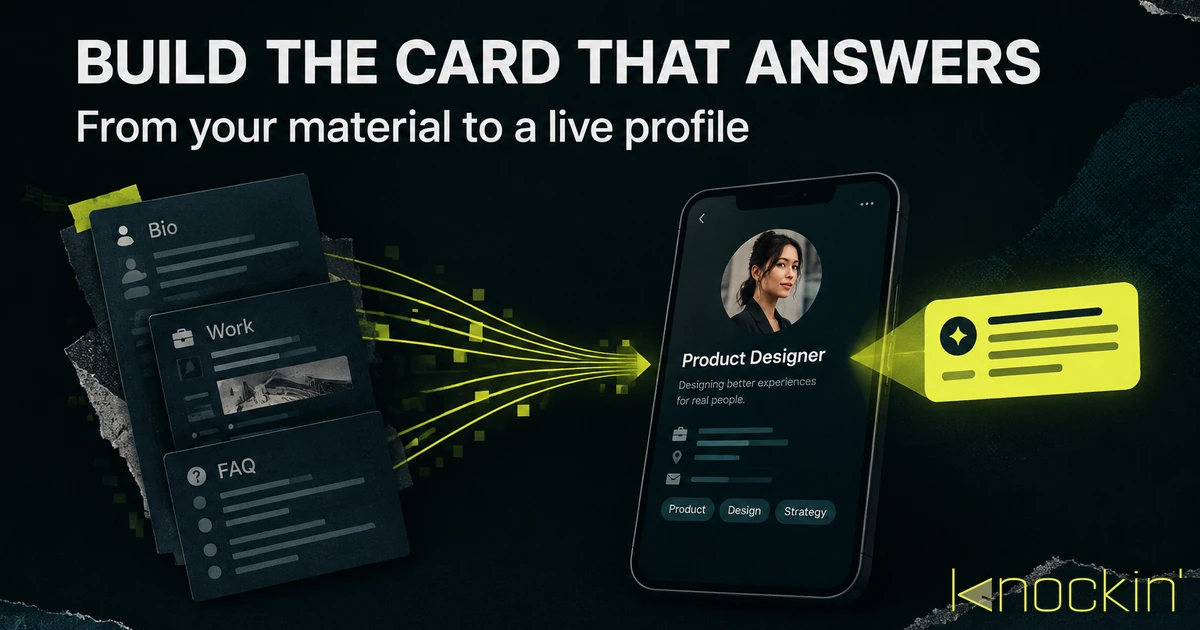
How to Create an AI Business Card (Step by Step)
A practical walkthrough for building a business card that answers questions for you: what material to gather first, how to set up and train…
What Is a Digital Business Card: The Card That Answers Back
A live profile shared by link, QR, or NFC — and AI now turns static cards into ones that answer and hand off judgment calls. Here's how the…
Frequently Asked Questions
Is an AI business card just a digital business card with extra features?
Do Blinq, Popl, and HiHello count as AI business cards?
Which should I choose if I mostly exchange details at in-person events?
Can I switch from a static card to an AI card later?
Your bio can finally answer back
Turn what you already know into an intelligent bio card that answers when you're not there.
Build, refine, and share in minutes — no credit card required.
https://knockin.info/blog/ai-business-card-vs-digital-business-card