
AI Business Card vs Link-in-Bio: Which One Works Harder?
Link-in-bio pages and AI business cards both compress you into a single URL — but one is a directory and the other is a representative. Here is the honest comparison, including when a link page is the better choice.
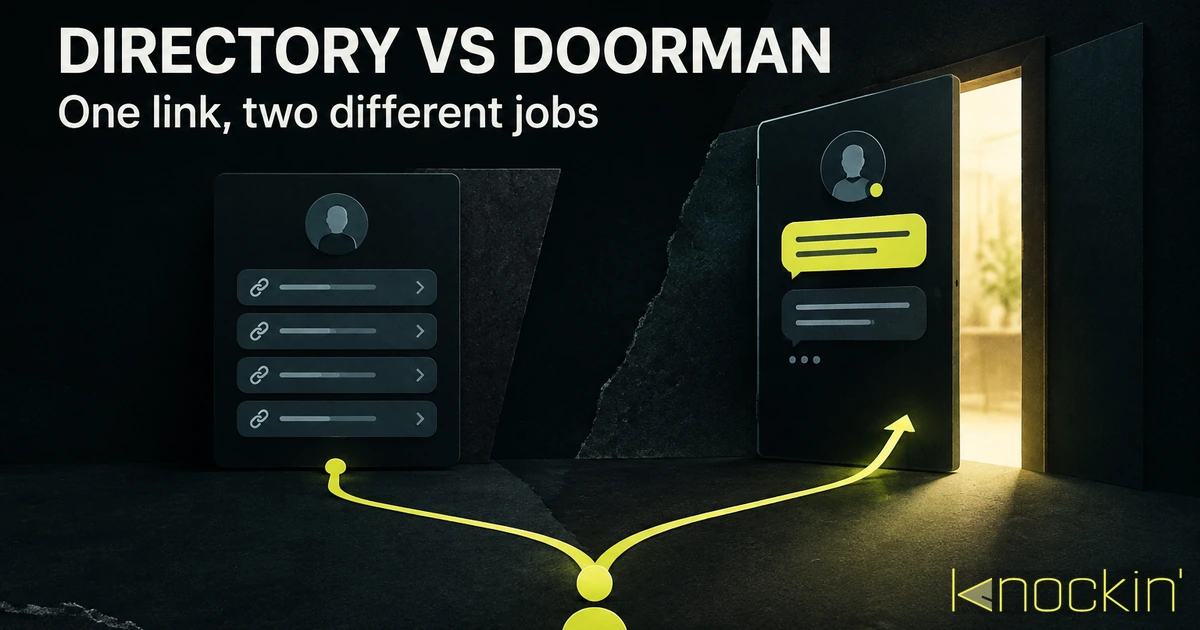
Both formats exist for the same practical reason: somewhere in your online life there is room for exactly one link, and you are more than one link. The link-in-bio page solved that problem first, and it solved it well — a single URL that opens into a tidy list of everywhere else you exist. The AI business card solves a different problem that happens to live at the same URL: not "where is everything," but "who is this person, and can they help me?" Because both formats answer to the same one-link constraint, people treat them as alternatives. Mostly they are — but the trade is worth making explicitly, because they optimize opposite moments of the same visit.
What a Link-in-Bio Page Actually Is
Strip away the styling and a link-in-bio page is a small, structured hub: your photo, a one-line bio, and a stack of buttons — portfolio, YouTube, newsletter, latest launch. Born of social platforms that allow one bio link, it turned that single slot into a junction box, and the best-known platforms have long since grown past the plain button list. Linktree, the category default, layers real conversion machinery on top: built-in contact forms and email collection, page and link analytics with traffic sources, integrations for booking and scheduling, smart links that route visitors by location or device, and even storefronts for selling digital products. [Source: https://linktr.ee/features/link-in-bio] [Source: https://linktr.ee/solutions/grow]
None of that is trivial, and an honest comparison has to start by admitting it: as a structured navigator and conversion toolkit, the link-in-bio page is genuinely good. It is fast to set up, free or nearly so, instantly familiar to anyone who has tapped one on a phone, and for a creator whose audience arrives from a video they just watched, the page's job is "pick a button, or leave an email" — jobs it does well.
What it doesn't do is converse. The components are fixed: a form collects what its fields ask for, analytics aggregate what happened, a booking link hands off to a scheduler. If a visitor's question doesn't match a component — "do you take commissions for something like this", "what would working with you actually look like" — the page has no mechanism for answering it. The structure is rigid by design; it navigates and captures, but it doesn't understand. That is the real boundary of the format, and it is the boundary the AI card exists at.
What an AI Business Card Does With the Same URL
An AI business card keeps the hub's skeleton — photo, bio, links — and adds a layer that can handle the unstructured part. A visitor who arrives with a question can ask it in their own words and get an answer drawn from your material: what you do, who you work with, what you charge, whether Tuesday works. Where the link page routes people through components you configured in advance, the answering layer responds to intent you didn't anticipate — and can still hand off to the same destinations, a calendar, a portfolio, a contact form, when that's what the question calls for. It also keeps a record of what each visit actually asked, which is a different thing from aggregate click analytics. What the format is and how it stacks against a standard digital card is covered in AI business card vs digital business card.
So the honest division of labor is not "one does nothing, the other does everything." It is: the link page is strong at structured navigation, conversion components, and cross-channel analytics; the AI card is strong at open-ended questions and understanding what a visitor actually wants. A hub with a good email capture and booking link will out-convert a conversational card for someone who already knows exactly what they want. The answering card wins the murkier, more common case — the visitor who can't yet name which button they need.
The Honest Trade
| Dimension | Link-in-bio page | AI business card |
|---|---|---|
| Core job | Structured navigation plus conversion components | Introduce you and handle open-ended first contact |
| Capture | Fixed components: forms, email capture, booking links | Conversational: answers, then routes to the right destination |
| Analytics | Page views, link clicks, traffic sources [Source: https://linktr.ee/features/link-in-bio] | A record of what each visitor actually asked |
| Unanticipated questions | No mechanism — components are configured in advance | The core mechanism |
| Setup | Minutes, free tiers everywhere | Minutes, plus material for it to answer from |
| Best visitor | Knows what they want, needs the right door | Can't yet name which door they need |
| Weak spot | Rigid structure; can't converse | Needs real source material to be worth asking |
Two honest concessions, one per side. The link page's component model is not a weakness — it is the feature. Predictable, measurable, and battle-tested: a form is a form, and a booking link hands off cleanly. An answering card is a younger, more opinionated product; done badly (thin material, generic training) it can feel like a chatbot trapped in a business card, which is worse than a button list. The quality ceiling of the AI card is set almost entirely by what you feed it — the gathering and testing loop that matters is in how to create an AI business card.
When Each One Wins
Choose the link page when your audience arrives already knowing you. If your traffic comes from your own content — a video, a newsletter, a talk — the visitor has context; they need navigation and conversion mechanics, and a mature link platform delivers both with analytics to tune them. A creator whose bio link exists so viewers can grab the merch and join the podcast is well served by the component model.
Choose the answering card when your link travels without you. Sent in a cold email, printed in a QR on a flyer, pasted into a conference follow-up, sitting in your X bio next to a job title strangers will google — in all of these, the visitor often has no context and unformed questions, and the page is your only shot at them. That is the profile of founders, freelancers, consultants, salespeople, and really anyone whose opportunities arrive through people they haven't met yet. For a wider tour of the format's place among the options, business card alternatives walks through all seven ways people now hand over "how to find me."
Or use both, deliberately. This is not a cop-out; it is what the formats are shaped for. Keep the link-in-bio as your content junction, and make your card — the thing you hand to strangers, print in QR, and sign your emails with — the one that answers. The two only compete if you force one URL to do both jobs.
Where Knockin Fits
Knockin is the answering kind of card: build your profile once, feed it the material you want it to speak from, and it greets whoever arrives — answering in your tone, pointing people to the right place, and handling meeting requests (a slot lands on your calendar once you confirm it). It shares as a link, QR code, or wallet pass, so it slots into the same single-URL slot a link page occupies; it just doesn't stay quiet once someone clicks. You can try one free, no credit card required. [Source: https://knockin.info/]
Conclusion
A link-in-bio page is a toolkit of doors — buttons, forms, booking links, analytics — and for audiences who already know you, it is the right tool; nothing here needs replacing. An AI business card covers the moment the toolkit doesn't: the visitor who can't yet name which door they need, and asks. It introduces you when you aren't there to do it, fields the open-ended questions a component list can't, and turns "someone clicked" into "someone knows what you do and wants a next step." Pick by who clicks your link — friends routing themselves through your funnel, or strangers deciding whether you're worth their next ten minutes.
Related Posts
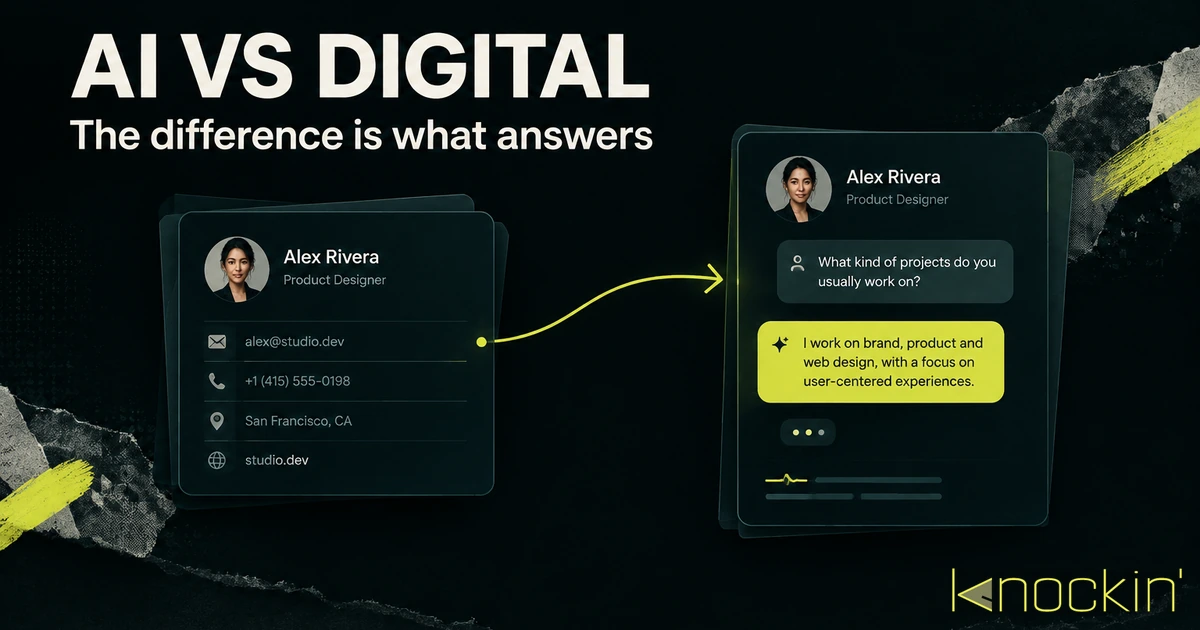
AI Business Card vs Digital Business Card: The Real Difference
Every AI business card is a digital business card, but not the other way around. Here is the distinction that actually matters — which…
Business Card Alternatives: 7 Ways to Introduce Yourself Without a Printed Card
Paper is no longer the only way to introduce yourself. Seven honest alternatives to business cards — what each one is, when it wins, where…
What to Put on a Business Card in 2026 (and What to Leave Off)
The complete checklist for what to put on a business card — five essentials, the modern optional layer, an honest leave-off list, and what…
Frequently Asked Questions
Is a link-in-bio page enough for personal branding?
Can a Linktree replace a business card?
Does an AI business card work in the same bio link slot?
Which is better for freelancers?
Your bio can finally answer back
Turn what you already know into an intelligent bio card that answers when you're not there.
Build, refine, and share in minutes — no credit card required.
https://knockin.info/blog/ai-business-card-vs-link-in-bio