
From “I Saw Your Profile” to “Let’s Talk.”
How do you decide whether to contact someone after reading their profile? Follow a Knockin demo visit from project questions to needs, preparation, and owner follow-up.
You are looking for a designer who can help improve your product. Their introduction seems relevant, but you still wonder: what did they actually do? Would they understand your problem? Is it worth talking further?
We explored Knockin's Alex Morgan designer demo profile as a visitor, with a small SaaS team's situation in mind: new users struggle with setup. We started with his work and followed the conversation.
1. Understand what the person has done
After seeing “onboarding design,” we asked:
What did Alex do in the onboarding project, and why did he change the setup flow?
The AI described mapping the first-run journey, shortening the initial setup form, and designing a sample workspace that users could explore.
That gave us more to evaluate. Behind an interesting project title, there was concrete work to compare with our needs.
2. Bring your own problem into the conversation
Next, we moved beyond Alex's experience:
We have a small SaaS product and new users struggle with setup. How would Alex approach this?
The AI suggested looking at a specific journey: where users hesitate, which setup requirements add effort, and whether simpler forms, clearer screens, or a sample workspace could help.
The conversation moved from what he had done to how he might think about our problem. Before contacting him, we already had a direction worth discussing.
3. Know what to bring when you make contact
We continued:
What should I include in a brief before talking to Alex?
The AI listed the product, target users, confusing setup journey, desired outcome, relevant screens, and timing constraints.
With that prompt, an opening message could become more specific. For example:
We want to improve the first-time setup experience and can share the current flow and screens. We'd like to discuss which parts would be most useful to change first.
The visitor can explain why they are reaching out, and you can better understand what they need. First contact does not have to stop at “Hi, can we talk?”
4. Bring in the owner for specific arrangements
We asked about timing and cost:
Can Alex start next Monday, and how much would this cost?
The AI said it could not confirm either and recorded the questions. In Alex's workspace, the question appeared under Task → Questions, waiting for an answer.
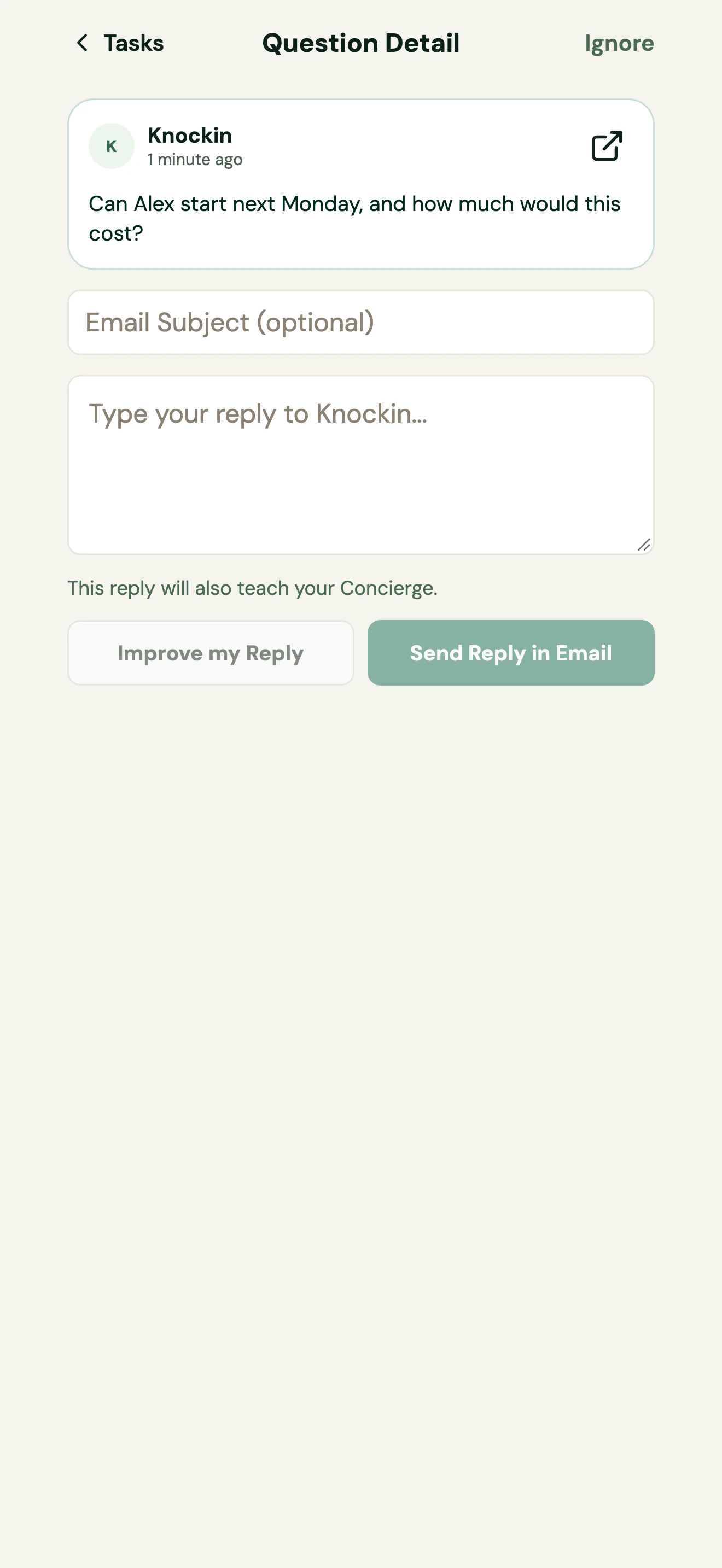
By this point, the AI had introduced the work, responded to the need, and suggested what to prepare. You can then use the visitor's question to discuss scope, confirm availability, and reply with specific arrangements.
See the conversation and questions tutorial for handling those items.
Give a first hello a chance to become a specific conversation
In this visit, we moved from interest in a designer to knowing what we wanted to discuss. AI reception on a personal website can handle that initial exchange.
To prepare an entry point on your own profile, write down the three questions visitors ask most often, then add background with the knowledge preparation guide. You can also open Alex's demo profile and try a question first.
Related Posts
Let Your AI Take the Next Hello.
Let interested visitors ask about your work while you are away. A Knockin AI profile welcomes initial questions and gives you context when…
Give People a Personal Website They Can Talk To.
Bring your introduction, work links, and AI reception into one place. See how a Knockin personal website can continue introductions from…
What Should Your AI Know Before It Meets Someone?
A job title is not enough for specific questions. Use an example and a knowledge template to prepare your work, projects, and the next…
From “I Saw Your Profile” to “Let’s Talk.”
Prepare your background and let visitors ask their first questions.
Create your Knockin profilehttps://knockin.info/blog/from-profile-visit-to-conversation