What Is Knockin?
What is Knockin? Learn how an AI business card answers visitor questions, how Discover helps you find collaborators, and how to follow up.
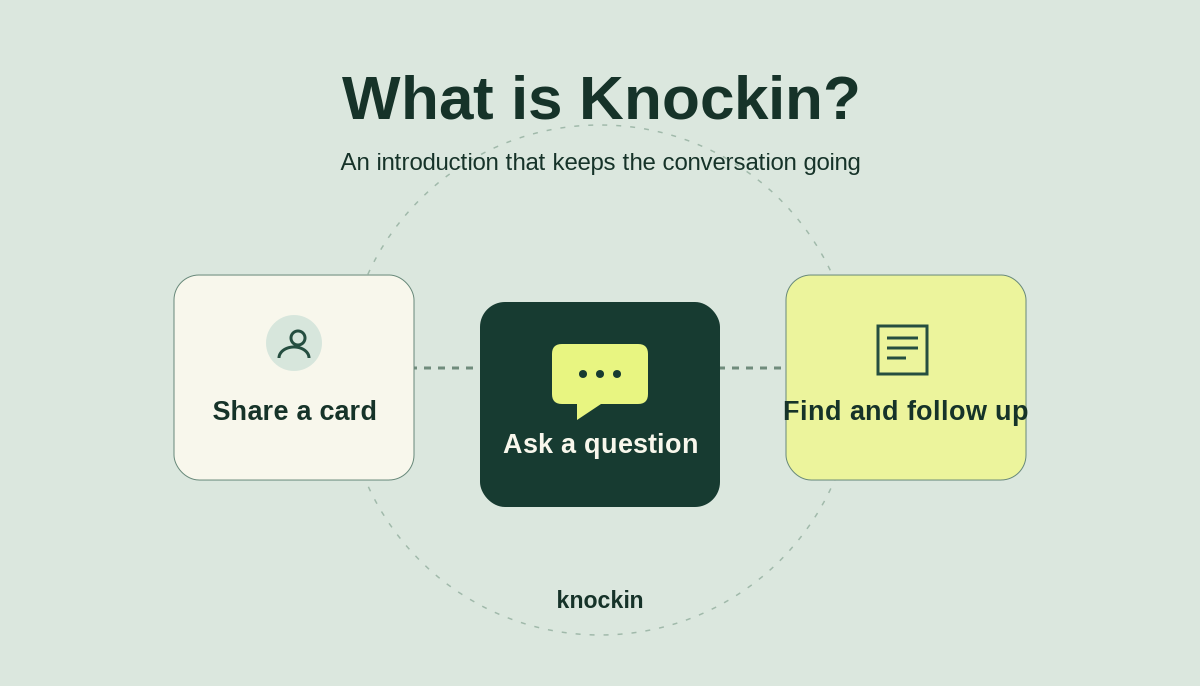
Knockin is a personal AI networking assistant that brings together a conversational business card, people search with Discover, and follow-up. People can open your card to see your bio and work and ask the AI about your services. You can describe the people you want to meet in Discover, see why they matched, and decide whom to contact.
Imagine sharing your card with someone after an industry event. They forward it to a friend who needs a product consultant. Even without hearing your introduction, the friend can ask whether you’ve worked on B2B SaaS onboarding and what to bring to an initial assessment. A forwarded card can still explain what you do and help someone start a conversation.
What can you do with Knockin?
| Situation | What Knockin offers | How to use it |
|---|---|---|
| Someone wants to see your work | An AI card with a bio, work, and public contact details | Share a link or QR code |
| A visitor has a specific question | An assistant that uses your material and follows your boundaries | Ask about cases, services, or process, then contact you for decisions |
| You need a collaborator | Discover searches by role, experience, and project needs | Describe the need, read the match reason, and open the card |
| You found someone worth following up with | Contacts and messages | Save the card and revisit the material or conversation |
How does a Knockin card welcome a first-time visitor?
A product consultant adds a case about auditing a small SaaS team’s onboarding and delivering a prioritized list of issues. When a visitor asks about a similar project, the assistant can describe that case. It can also ask for a product link, the current onboarding flow, and the main issue before a first conversation. The consultant confirms the start date, scope, and price directly.
How does Discover help you find partners?
I’m looking for a researcher who has interviewed new B2B SaaS users, can help a small team identify first-use problems, and can work remotely.
Read the match evidence and check the project background. If a card only says “contributed to user research,” ask whether the person recruited, interviewed, or analyzed the data. Save promising cards and contact people through their public channels. On your own card, “led interviews and analysis for B2B SaaS onboarding” gives potential collaborators something concrete to assess. You can opt into Discover when publishing.
Who is Knockin for?
- Freelancers and consultants can show cases and answer initial questions about scope and process.
- Founders and business development teams can explain who a product serves and find people with relevant experience.
- Creators can explain past partnerships, their role, and how brands can make contact.
If you often send your bio, portfolio, and meeting prep in separate messages, put them on one card so visitors can explore and ask at their own pace.
Frequently asked questions
How does Knockin differ from a standard digital business card?
It gives visitors a place to ask about your work, deliverables, and collaboration. Discover also lets you actively search for people.
Can the assistant confirm rates or availability for me?
Share indicative rates and typical timelines. Set your boundaries and have visitors confirm custom quotes, start dates, or commitments with you.
Can I search without a name?
Yes. Describe the role, experience, and constraints. For example, look for a photographer with independent product-brand experience who can shoot onsite in Shanghai. Read the match reason and check the person’s work.
Start with your next introduction
Add a short bio, one representative project, and three frequently asked questions. Explain your role and how to work with you so the next person who receives the card can read and ask questions. Create your Knockin card
Your bio can finally answer back
Turn what you already know into an intelligent bio card that answers when you're not there.
Build, refine, and share in minutes — no credit card required.
https://knockin.info/blog/what-is-knockin